Seerr Permission Audit
Overview
The Permission Audit is an administrator-only tool that checks every Jellyfin user's Seerr account and reports which Seerr permissions each user has. It helps you quickly find users who are not linked to Seerr or who are missing permissions required for plugin features (requests, 4K requests, advanced options, issue reporting, etc.).
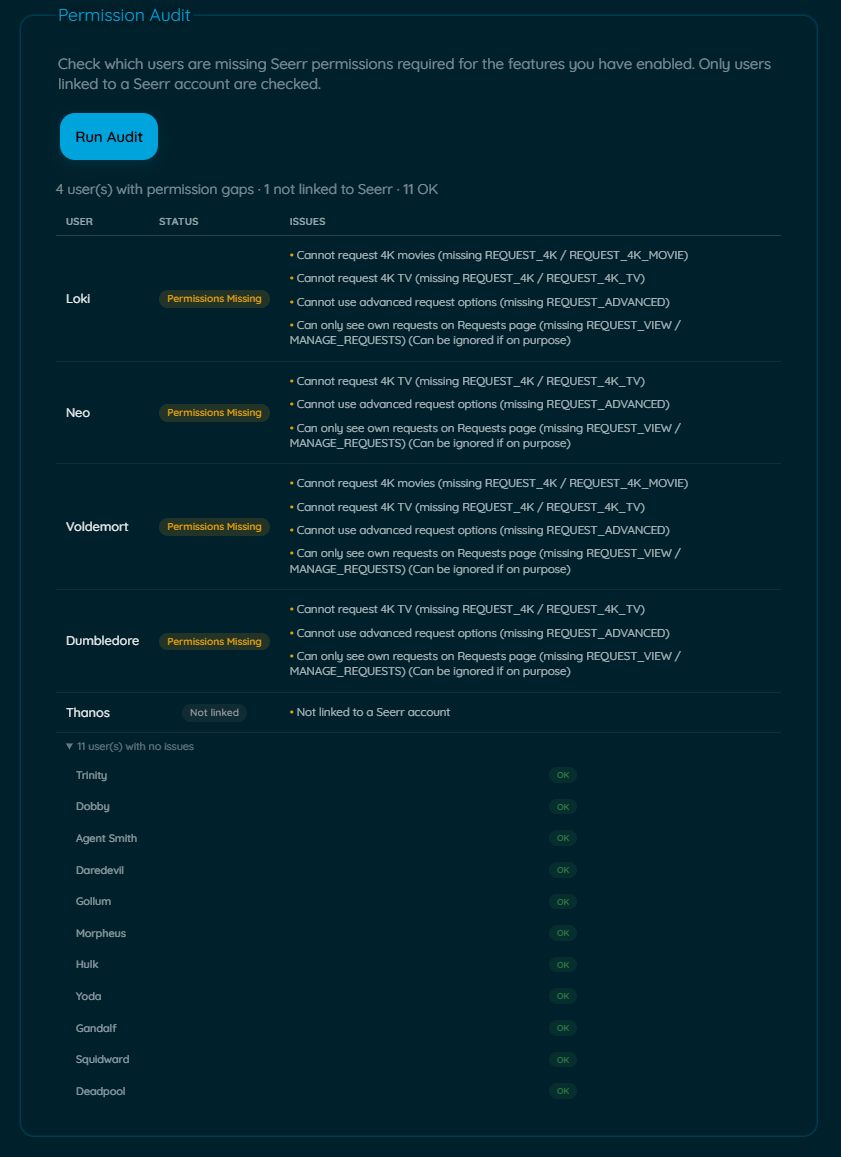
Where to find it
Open the plugin configuration and navigate to the Seerr section. Click the Run Audit button in the "Permission Audit" area.
How it works
- The audit iterates all Jellyfin users and attempts to resolve a linked Seerr user for each.
- Results are returned as a per-user report with three possible outputs: "Permissions Missing", "Not linked", or collapsed "OK" users.
Interpreting results
- Not linked: The Jellyfin user does not have a corresponding Seerr account (or Seerr was unreachable). Use the Import Users feature or check Seerr manually.
- Permissions Missing: A linked user lacks one or more permissions required by enabled plugin features. The audit lists the specific missing permissions (for example:
REQUEST,REQUEST_4K,REQUEST_ADVANCED,REQUEST_VIEW,MANAGE_REQUESTS,CREATE_ISSUES,VIEW_ISSUES). - OK: The user is linked and has the required permissions. OK users are shown in a collapsible section.
Note
REQUEST_VIEW & MANAGE_REQUESTS:
If these permissions are flagged, that might mean that the users will be only able to see their requests in Requests page and not the requests by everyone, if this is your intention, this missing permission can be ignored.
Quick steps
- Ensure Seerr integration is configured and reachable (Seerr URLs + API key).
- Open plugin configuration → Seerr Settings → Permission Audit.
- Click Run Audit and wait for results (may take time for large user lists).
- Review users flagged "Permissions Missing" or "Not linked" and address them in Seerr.
Troubleshooting & notes
- The audit bypasses the cache to ensure fresh permission checks. If you have many users, the audit may be slow.
- If Seerr is unreachable the audit may report users as "Not linked"; verify Seerr availability via the plugin's Seerr status check.
- If users should be linked but appear as not linked, try the Import Users Now action first.